The person on the ticket
Name and email from forms and inbound mail. Other tickets from that address show in the sidebar.
Product
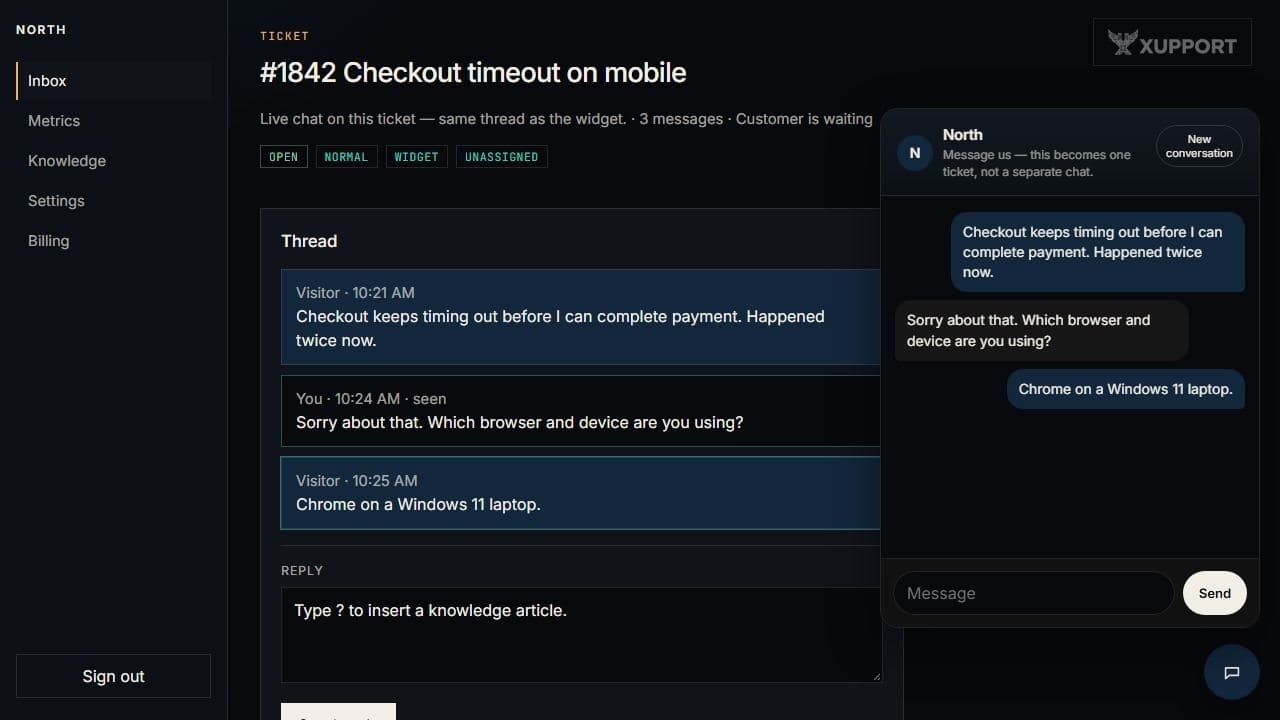
Those pieces share one conversation. The chat button on this site is the same widget you will paste on yours — try it, then start a workspace.
Inbox
Search, filter, snooze, merge, and assign. Shortcuts: / to search, n for a new ticket, j and k to move, Enter to open, r to reply. A metrics page covers the last 7 or 30 days.
Name and email from forms and inbound mail. Other tickets from that address show in the sidebar.
You can see if a teammate has the thread open. The bot will not talk over them.
Canned answers, tags, and the business hours you set for SLA and after-hours bot mode.
Widget
Round launcher, your logo or a letter, bubbles left and right. The snippet includes a key — treat it like a password. Your brand colour tints the chrome. After you resolve a ticket, you can ask for a 1–5 score.
Help centre
Markdown, grouped by category, at /help/your-slug or on a hostname you verify. The contact form there opens a ticket. Public strings exist in English, Spanish, French, and German.
Email and Slack
your-slug@inbound.xupport.io. Put #123 in the subject to stay on that ticket.AI
The bot reads published articles. You pick the tone from a short list. You can limit it to certain categories. A monthly cap stops extra replies. Agents can ask for a draft. Visitors never see an “AI” badge on the message.
Start with the bot offFor developers
Rotate both in Settings. We send conversation and message events. OpenAPI lives on the API host at /docs in development — not on this site.
Questions